Showing posts with label Apple. Show all posts

Sunday, March 29, 2009

School Holidays Free Art Workshops sponsored by the Power Mac Center in Manila, Philippines


Last week the Power Mac Center in Manila organized a week full of fun for the Kids at the Rockwell Shopping Center. Children had the chance under supervision to play with the latest iMac Computers and iPods. Animation, some basic drawing and other educational software had been installed on all the iMacs all under the supervision from the PMC staff.
An artist was on hand also who painted some cartoons on the Kid's faces, it was nice to see that a company like the PMC organized this week long event for the children.
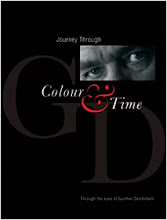
The images on this post have been taken during my visit with my children on a Leica D-Lux 4 my constant travel companion. Since it was long over due to take my Boys out I left my big gear at home. Later I created this layout with the new Pages from iWork '09
For information on my upcoming GD PhotoWorkshop in Cambodia please click the LINK below.
http://www.gdphotoworkshop.com/home.html
GD

Friday, January 30, 2009

APERTURE 2 Tip...where do I find my Camera info...this is nice if You like to compare DATA...

A cool little Aperture 2 Tip...

I thought I share with you one of my earlier Blogs on APERTURE 2 to fill in a few days before leaving for Clark Airbase in Angeles City, Philippines for a commercial shoot.

Where do you find at a push of a button YOUR Camera Info when you like to compare your shots after the shoot in Aperture 2.1
See the provided screen shot below, the small drop down menu (
small red circle) is where you find ...Show and Hide Camera & Color info...the red oval shows you the data, you have to be in the adjustment mode/panel.
This is very useful when comparing shots, what might have gone wrong or right...You can also move your Cursor over the image to get the color Value in between the images, the grey area will show you the Camera info. Play around and you find this is a very useful addition in
Aperture 2.
You can also move your cursor over your Thumbnails... for those of you who are still in the early stage of Photography this command is great for analyzing your images quickly.
Try it out and have some fun...Aperture is not only great for the Pro's but it can help you to take better images by quickly finding out what went wrong or right.
GD


ApertureScreenSnapz001
Visit Gunther Deichmann's website @
http://www.deichmann-photo.com/home.html

Tuesday, January 27, 2009

Important Announcement:Mac trojan horse discovered in pirated Photoshop

Trojan Horse...
by Peter Cohen, Macworld.com
Security software firm Intego reports that pirated copies of Adobe Photoshop CS4 may contain a variant of the “trojan horse” malware first reported in copies of Apple iWork ‘09 last week.
OSX.Trojan.iServices.B is what the malware is being called. It affects some copies of Adobe Photoshop that are being distributed through pirate software sites. According to Intego, “The actual Photoshop installer is clean, but the Trojan horse is found in a crack application that serializes the program....” The complete article and a lot more at MacWorld.com

I been using the Intego Security Software for some years now and I believe if they reported maybe a Trojan Horse I take it seriously.

Another valuable lesson dont buy pirated software, it can even effect your Mac.
GD